

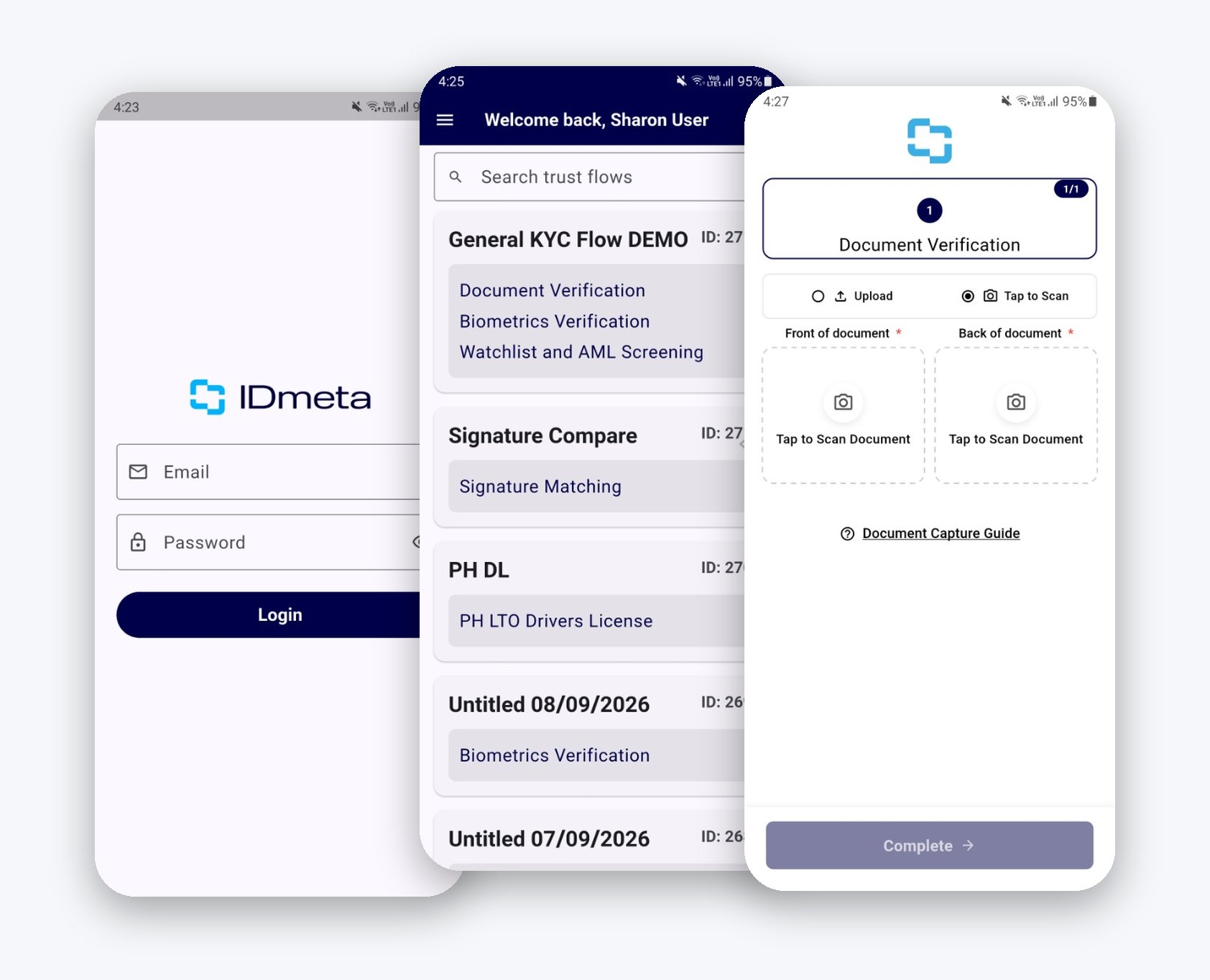
Sign in, choose a Trust Flow, then complete verification on the device.
How to get access
The Kiosk app is an Android APK. It is not a public download.- Contact IDmeta Support and request the IDmeta Kiosk APK. Include your company name and a contact person so Support can confirm the account.
- Install the APK they send you. If the device blocks the install, allow Install unknown apps for the app you used to open the file.
Using the app
- Open IDmeta Kiosk.
- Sign in with email and password.
- If prompted, paste the user API token from Profile > API Tokens. See App tokens.
- Search for a Trust Flow and tap it.
- Confirm, optionally add metadata, then start. Metadata is returned on webhooks.
- Complete the flow on the device.
- Review results in the Dashboard or via webhook.
Requirements
Troubleshooting
- Cannot install the APK — allow install from that source, or the device is below Android 7.0.
- Login failed — check the user credentials or API token.
- No Trust Flows — the signed-in user may lack permission. See User roles.
- Camera is black or blocked — grant camera (and location if asked).
- Liveness failed — check camera access, lighting, and that the device is online.