

Introduction to the API
The IDmeta API enables seamless integration of all products and verification types into your applications, offering global identity verification and business validation capabilities.Authentication
To call IDmeta APIs from your application or from tools like Postman, you need an API token associated with your account.Getting an API token
- Log in to the IDmeta system (dashboard).
-
Open your profile: click your profile avatar/name to go to the profile page.
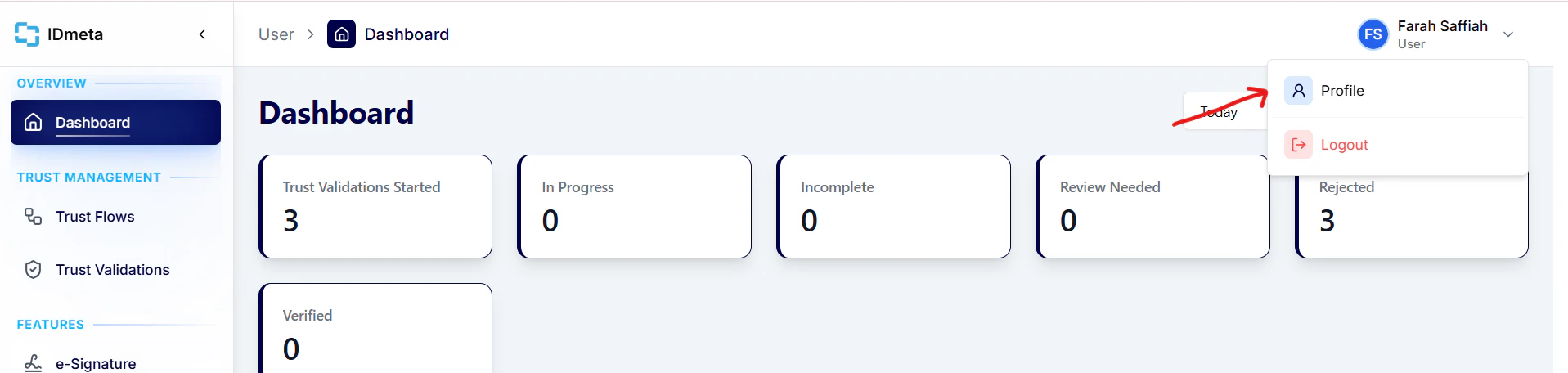
- In the Settings tab, open API Tokens.
-
Click Create token to generate a new API token.
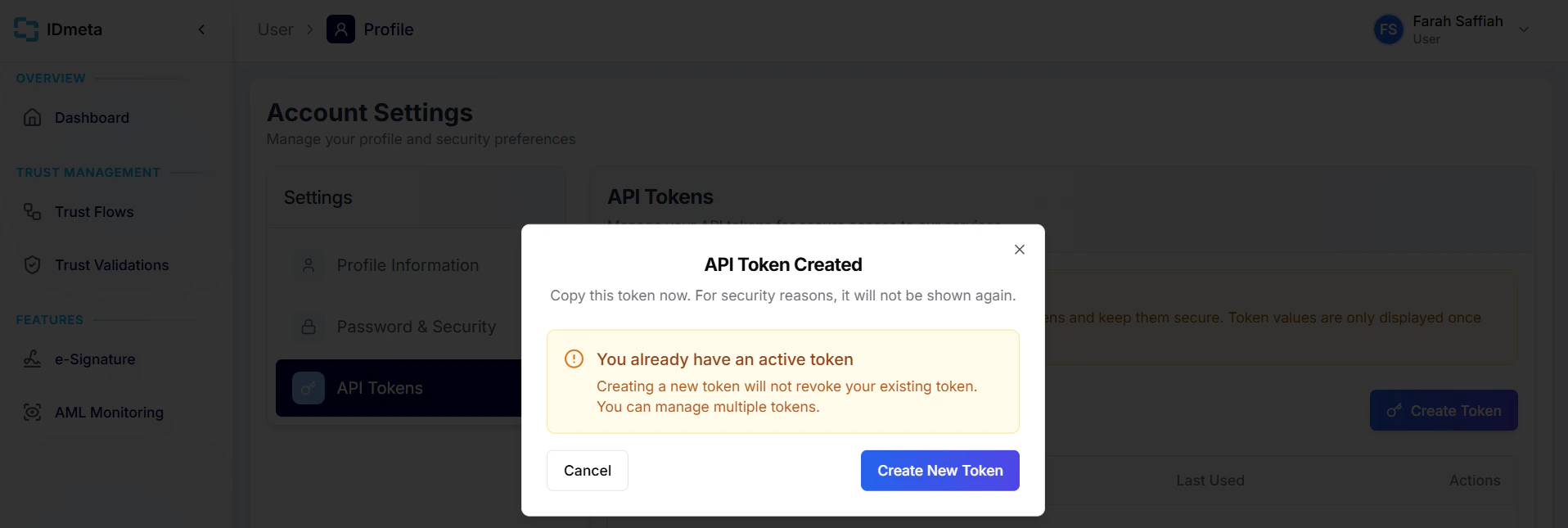
- Copy the token and store it securely. Treat it like a password.
Authorization header when making requests.
How to use our API
Processes
For every verification process, the following steps must be followed:1. Initiate the verification
Begin by creating a new trust validation using the Create Trust Validation API.The response will return a
trustValidationId, which you will use throughout the rest of the process.
2. Perform verification checks
Next, call the relevant verification-type APIs defined in your Trust Flow (template).Examples include the Document Verification API, Biometrics Verification API, and Watchlist & AML Screening API.
At this stage, the verification status will automatically update to In Progress.
3. Finalize the verification
Once all required verification checks are completed, call the Finalize Trust Validation API.This step evaluates the results of all performed verification types and sets the final verification status to one of the following:
- Verified
- Review needed
- Rejected
4. Retrieve trust validation results
To review the full session — including overall status and each verification result — call the Trust Validation Result API with yourtrustValidationId. You can use this at any point after create trust validation, whether checks are still in progress or already finalized.
5. Update trust validation status (optional)
To manually update the overall trust validation status, call the Update Trust Validation Status API with thetrustValidationId and the status code in the request body. The status field is required — use the same code as the outcome you selected during review (for example 3 for Verified, 2 for Review Needed, 1 for Rejected).
6. Delete trust validation data (optional)
To permanently delete all personal data associated with a trust validation — including document scans, selfies, signatures, request payloads, and verification results — call the Delete Trust Validation API with thetrustValidationId. The trust validation record is retained in a purged state so usage and billing history stay intact. This operation is irreversible and idempotent.
Extra: Adding metadata
To add metadata that will be sent in your webhook, call the Metadata API after the Create Trust Validation API and before you finalize the trust validation.Data Dictionary
Verification Status Types
Learn what each verification status means and how to interpret it.
Stateless Verification API
Run verifications directly without creating a Trust Validation or Trust Flow.