

trustValidationId or trustFlowId, and do not call Finalize Trust Validation.
Use this model when you only need the outcome of a specific verification and manage your own workflow outside IDmeta.
Authentication
To call IDmeta APIs from your application or from tools like Postman, you need an API token associated with your account.Getting an API token
- Log in to the IDmeta system (dashboard).
-
Open your profile: click your profile avatar/name to go to the profile page.
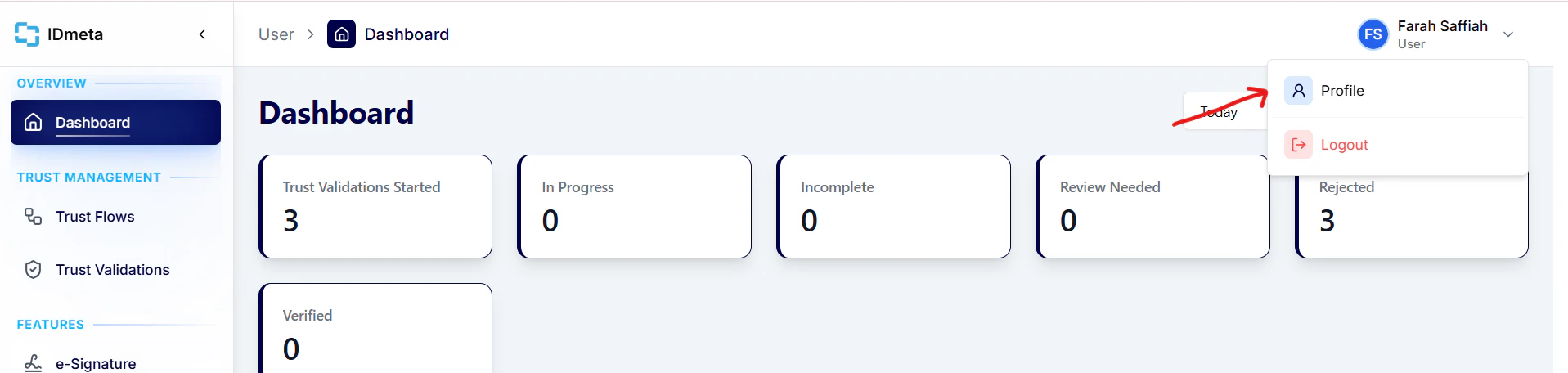
- In the Settings tab, open API Tokens.
-
Click Create token to generate a new API token.
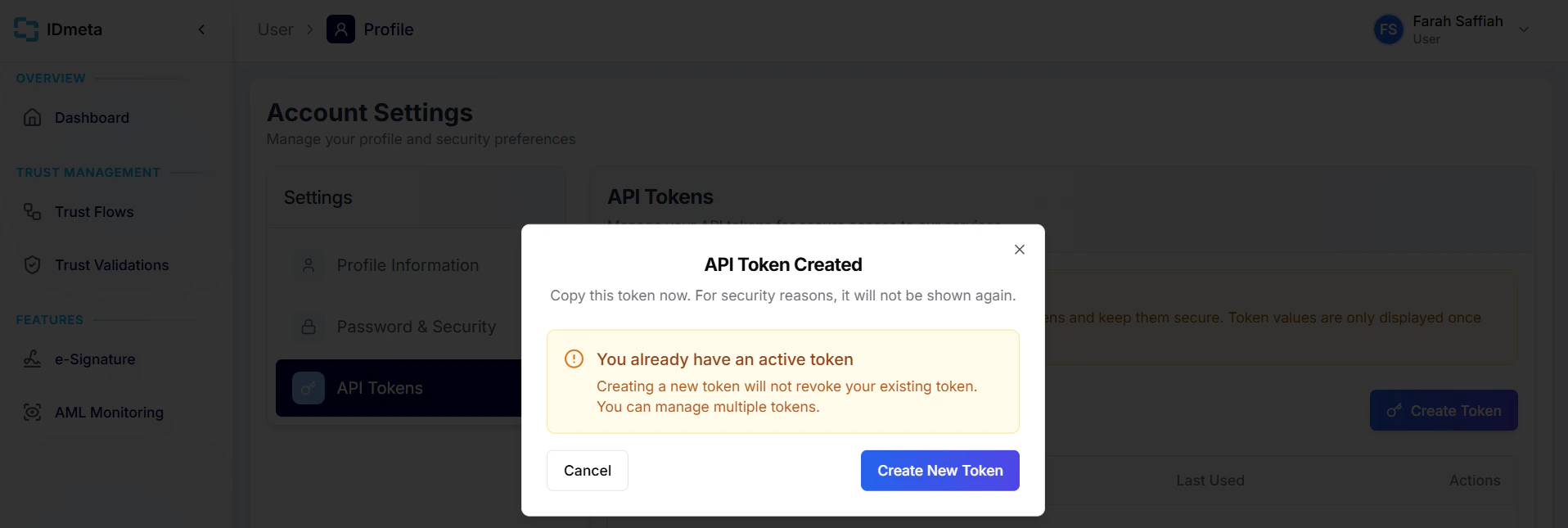
- Copy the token and store it securely. Treat it like a password.
Authorization header when making requests.
How the Stateless API works
Each verification is a single request/response cycle:- Send the required verification data to the relevant endpoint as the JSON request body.
- The API runs the verification against the configured data source.
- The response contains the verification result — there is no separate step to poll or finalize.
Stateless vs Trust Flow
The Trust Flow API is a stateful, multi-step lifecycle. The Stateless Verification API is a direct, independent request → result model. Trust Flow API- Create Trust Validation — returns a
trustValidationId - Perform verification(s) — each step uses that
trustValidationId - Finalize Trust Validation — combines results into an overall status
- Send verification request — submit the required fields for one verification type
- Receive verification result — the outcome is returned in the same response
Stateless describes the verification flow from your integration’s perspective: you do not maintain a Trust Validation session between requests. It does not mean IDmeta performs no logging, temporary processing, or infrastructure-level handling internally.
No Trust Validation required
Stateless Verification API endpoints do not use the Trust Validation lifecycle:- No Create Trust Validation call
- No
trustValidationId - No
trustFlowId - No Finalize Trust Validation call