

Steps
-
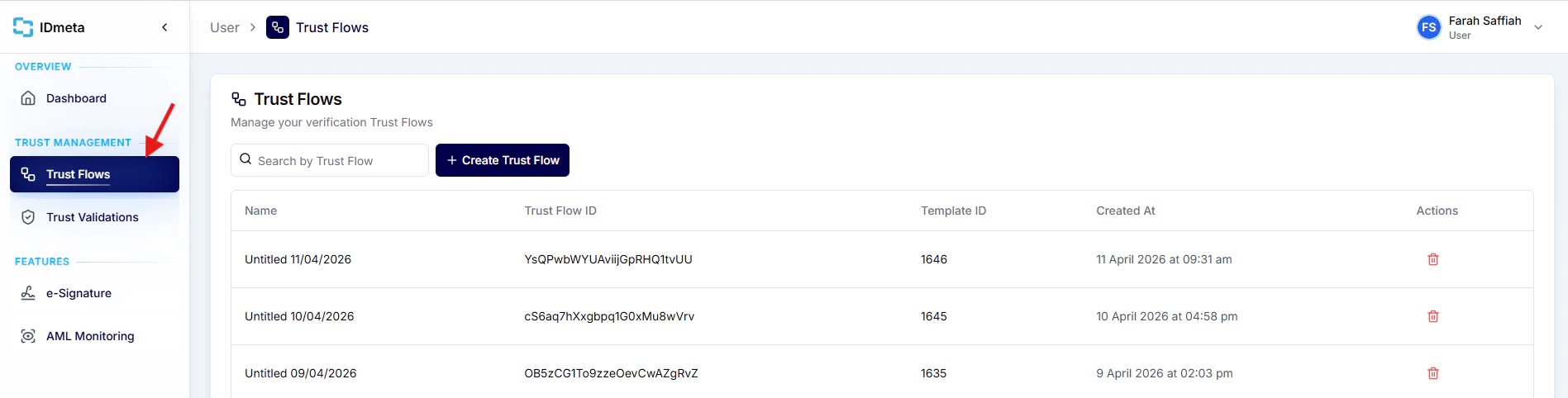
In the left menu, go to Trust Flows.
-
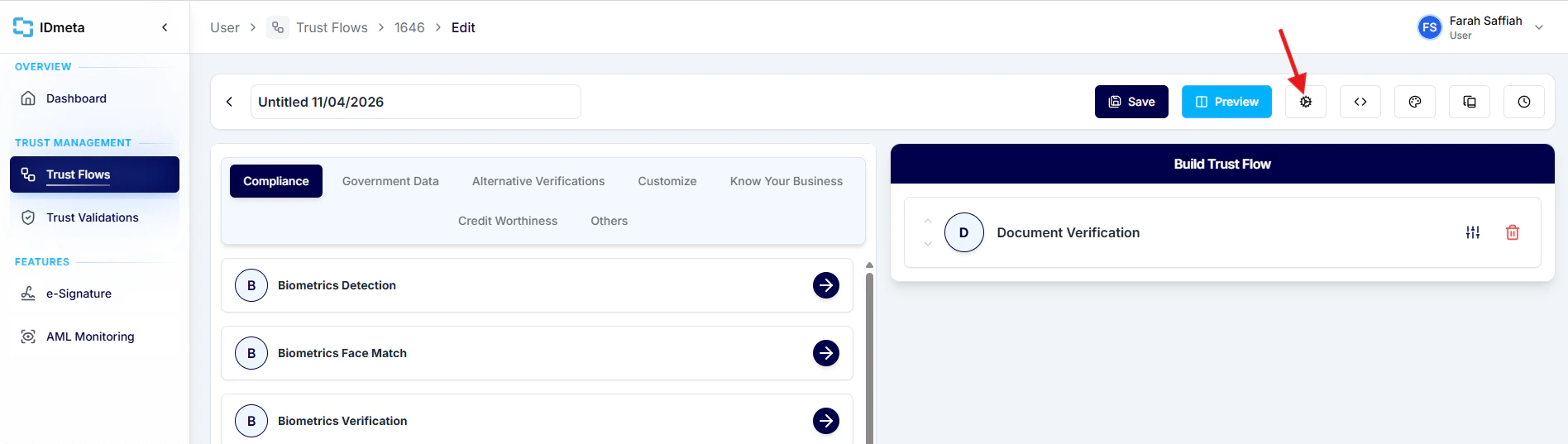
Open a Trust Flow, then click the Settings icon.
-
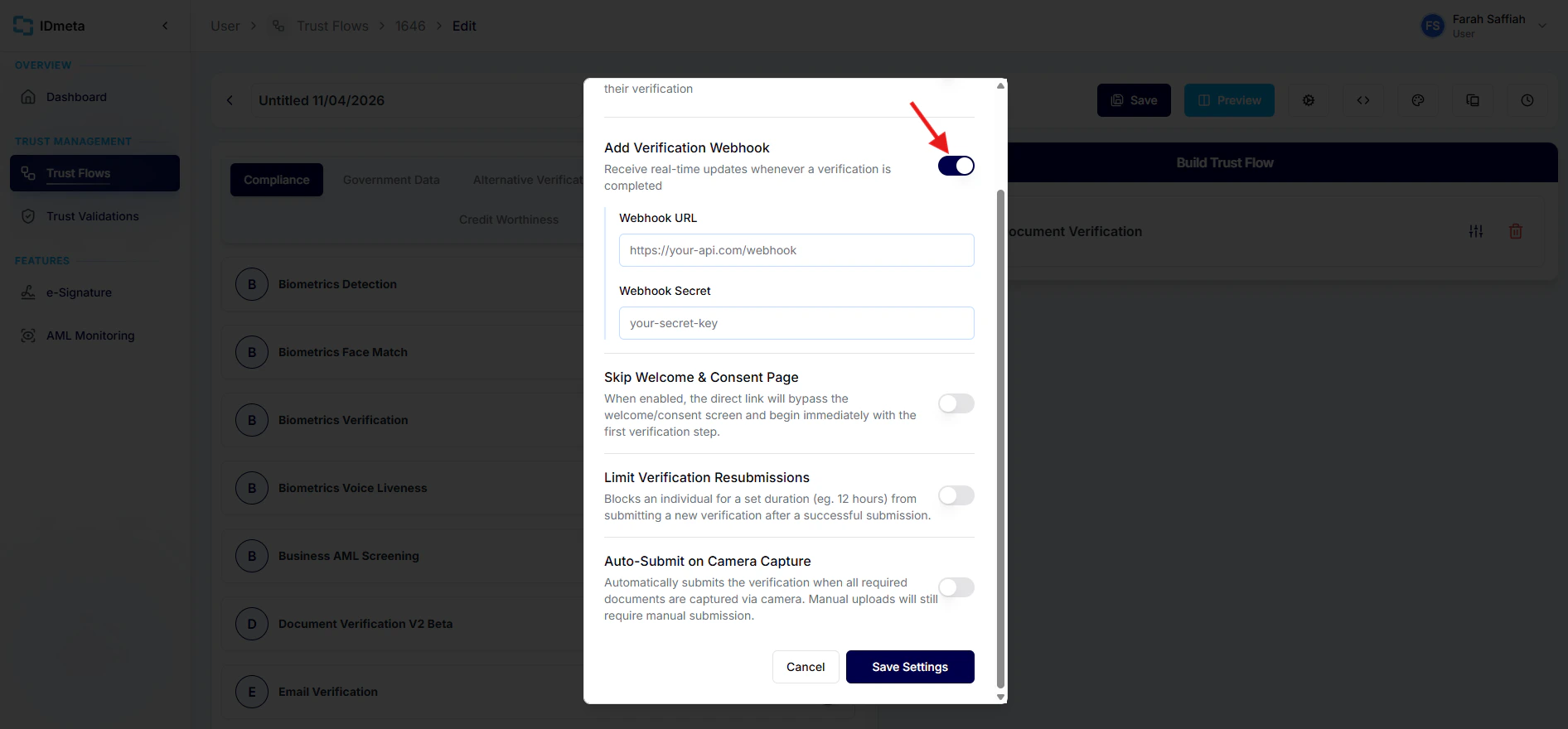
Enable Add Verification Webhook, then enter your Webhook URL and Webhook Secret.
-
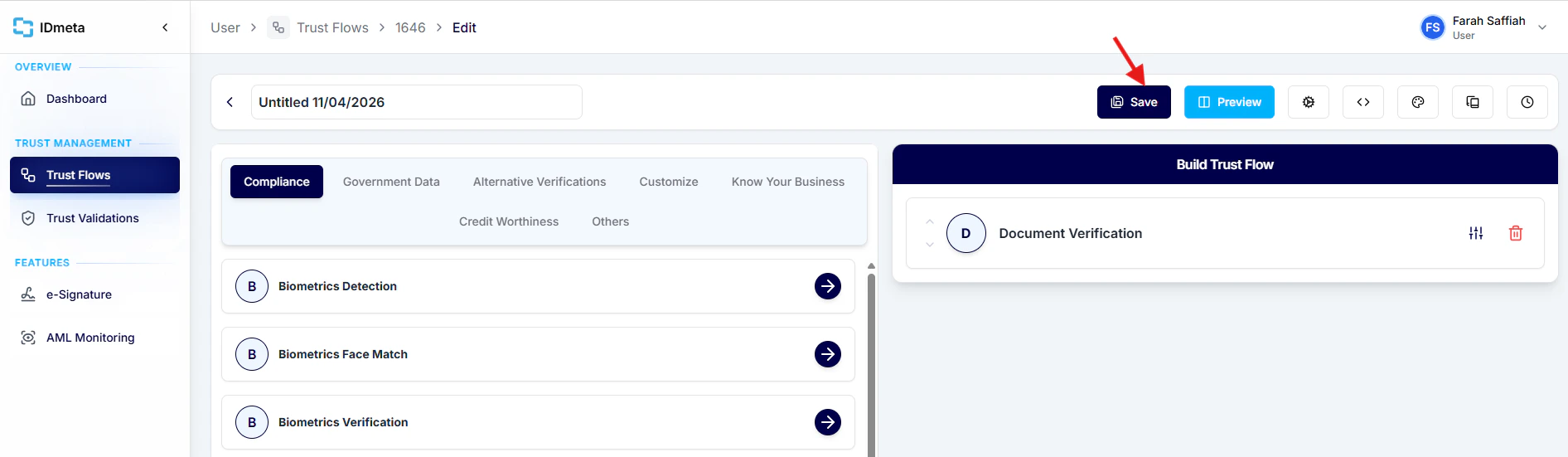
Click Save to apply the webhook settings.
Enable verification webhooks in Trust Flow settings to receive completion updates in your system.