

1. Image format
All endpoints accept JPEG and PNG images. For optimal performance, a minimum resolution of 1080p (1920×1080 px) is recommended. While lower resolutions are accepted, they may compromise accuracy; conversely, resolutions exceeding 4K are unnecessary and do not significantly enhance data extraction. We recommend using JPEGs, but make sure to use a high quality compression setting.2. Positioning
Capture the entire document with all four corners visible, filling 60% – 70% of the image. Use original, unedited camera frames only. The document must be fully visible and unobstructed. Please avoid covering any portion of the document—including text, photos, and barcodes. For passports, the system only requires the data page (front page, the page containing your photo and personal details).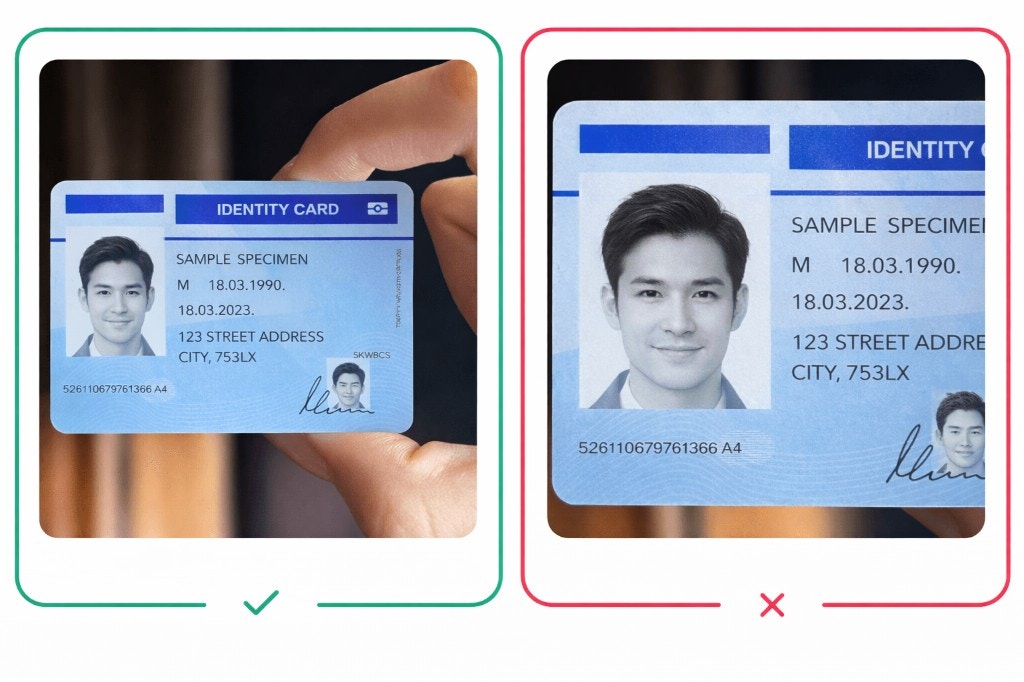
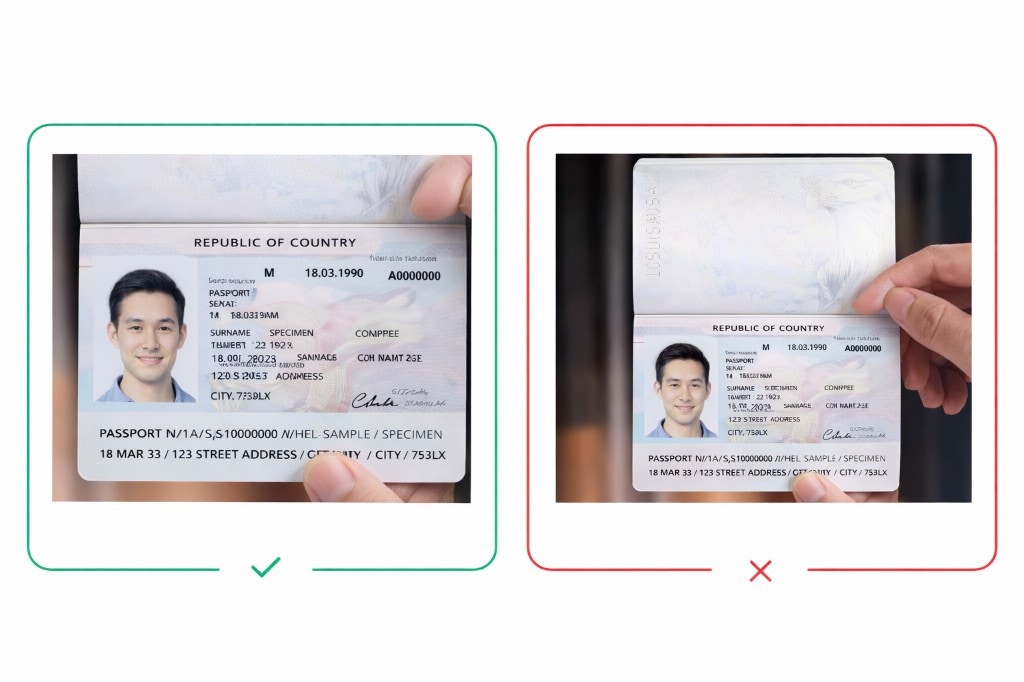
3. Framing and context
Please leave space on all sides of the document to ensure the system can clearly identify its edges. Placing it in front of a dark background (a dark paper on the table) would produce the best result. For those performing liveness checks, include enough of the surrounding environment in the frame to provide the necessary physical context for accurate validation.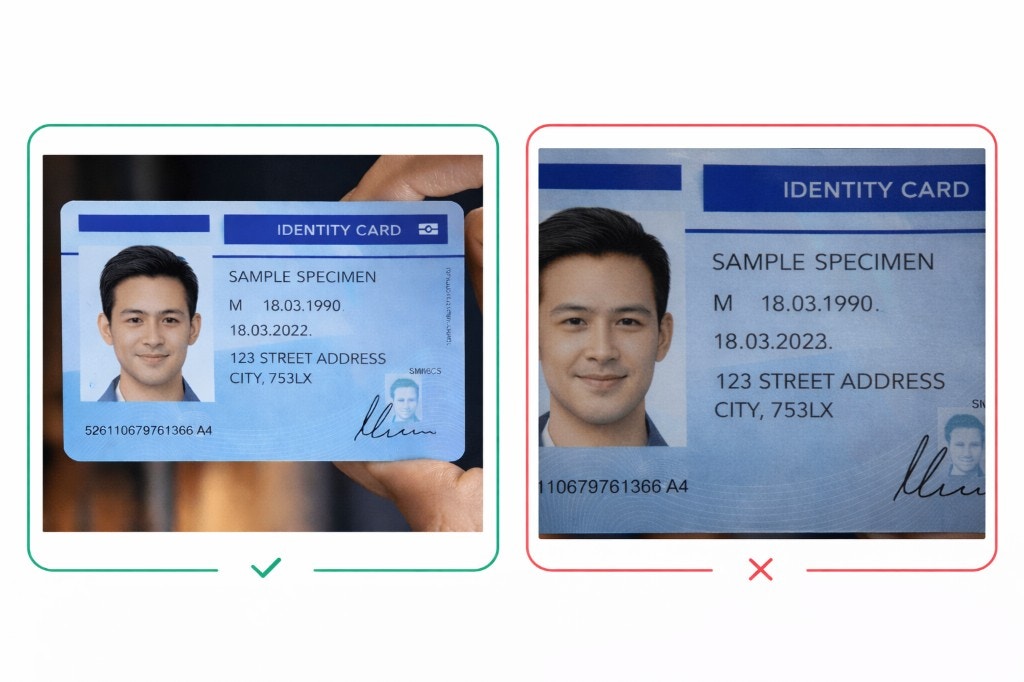
4. Lighting conditions
Ensure the document is captured in a well-lit environment with even lighting. Avoid glare, reflections, high-contrast, or backlit backgrounds that may obscure document details. Natural daylight is often best; avoid using flashlight. Adjust lighting or angle slightly to prevent glare on key text or photos.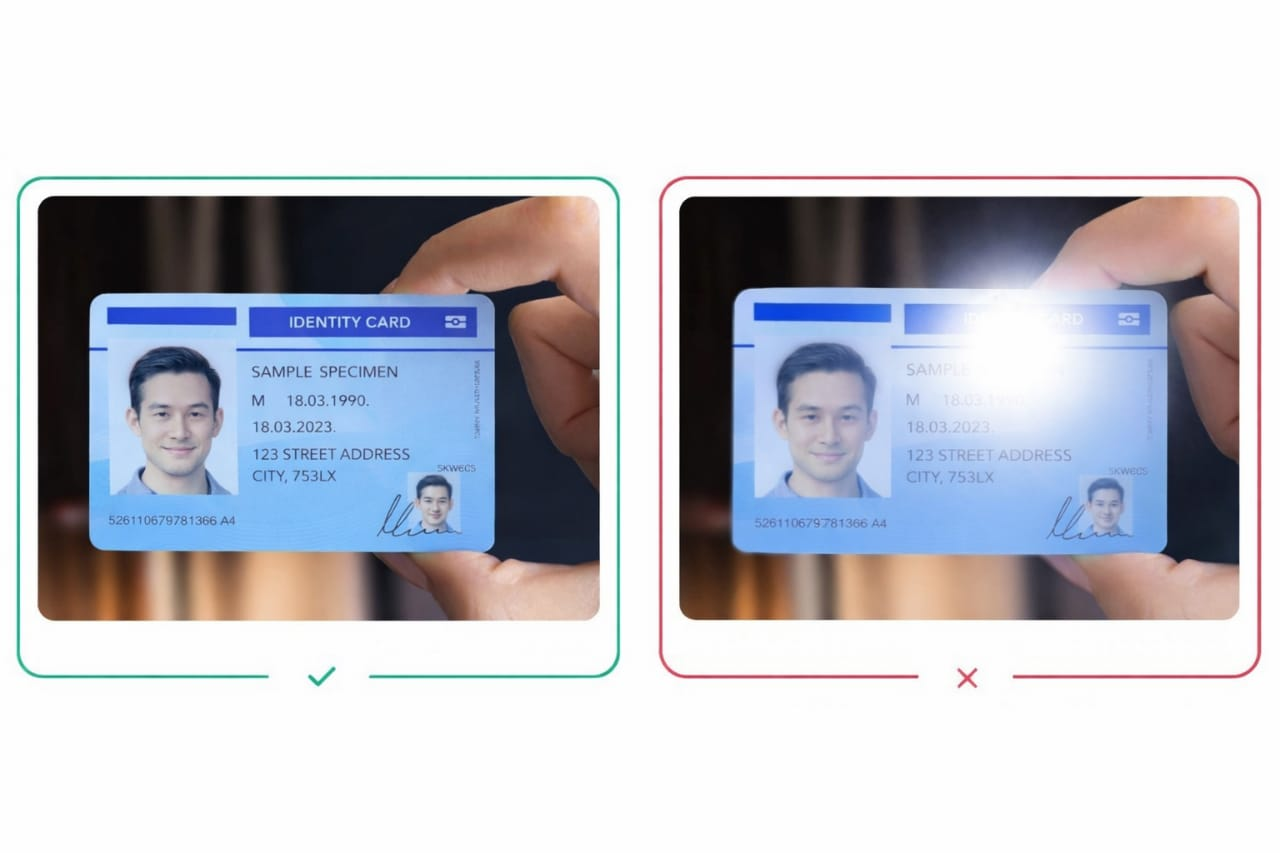
5. Resolution
Submit a clear, high-resolution image where all text and barcodes are easy to read. Keep the camera steady and avoid movement when taking the photo. Placing the document on a flat surface, such as a table, helps ensure the best result.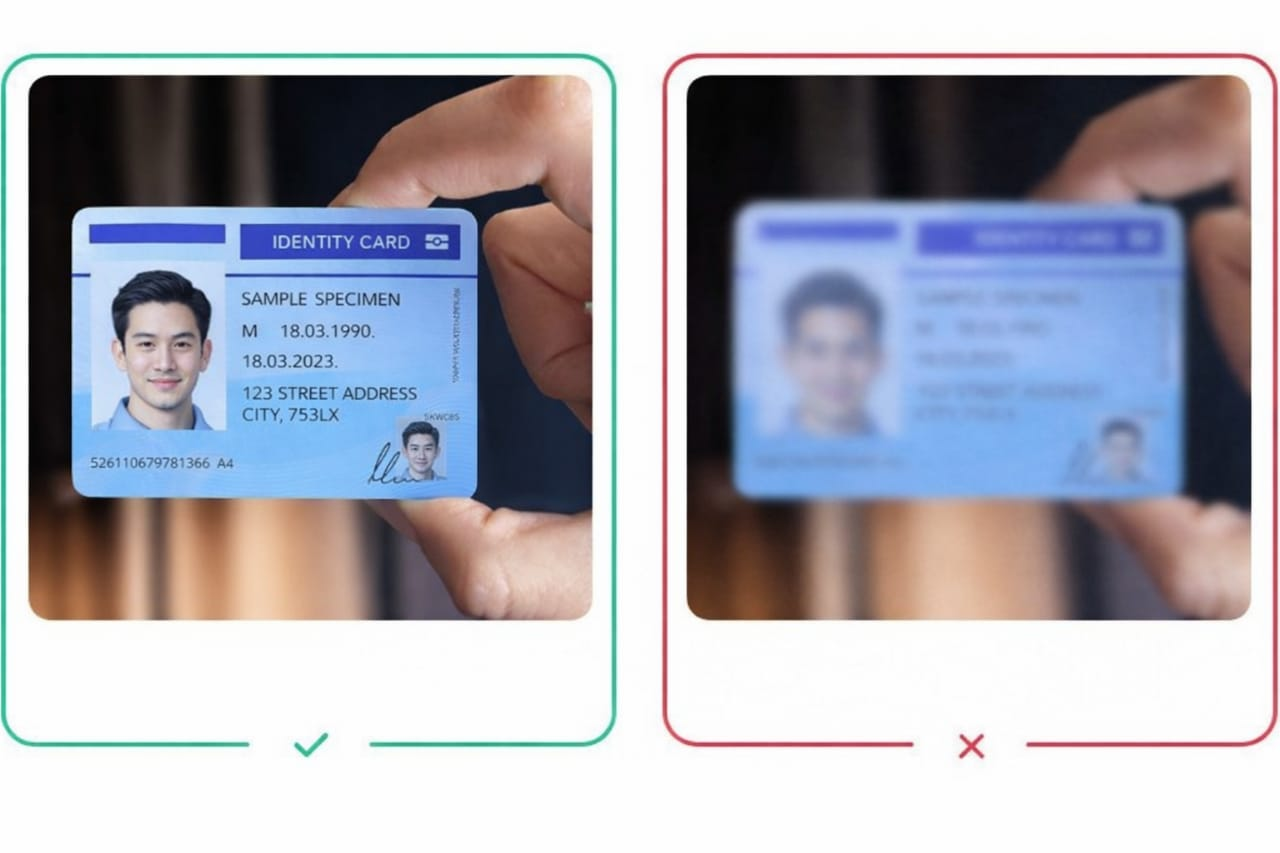
6. Capture both sides (if applicable)
Many identity documents contain important information on both sides (e.g., driver’s licenses and national ID cards). Depending on your Trust Flow configuration, we recommend capturing both the front and back of the document, as this provides the most complete and accurate results for all visual verification checks. Each side must meet the same quality and positioning standards.What to avoid
To prevent verification issues:- No edits or filters: Do not use image editing tools, filters, or enhancements before uploading. The raw capture must reflect the genuine document.
- No screens or printouts: Photos of a document displayed on another screen (e.g., computer or phone display) or printed photocopies are often rejected.
- No obstructions: Watermarks, text overlays, or other graphics that cover personal data are not acceptable.