> ## Documentation Index
> Fetch the complete documentation index at: https://docs.idmetagroup.com/llms.txt
> Use this file to discover all available pages before exploring further.
# Webhook
> Send real-time verification updates to your system from Trust Flow Settings.
The **Webhook** section in Trust Flow Settings lets you send real-time updates to your system when verification events happen.
After you [create a Trust Flow](/trust-flows/creating-a-trust-flow), open **Trust Flow Settings** and go to **Webhook**.
## Verification Webhook
Enable this toggle to receive webhook notifications whenever a verification is completed.
When **Verification Webhook** is enabled, enter these fields:
* **Webhook URL** — The endpoint URL where IDmeta sends verification completion events.
* **Webhook Secret** — A secret used to validate that webhook requests come from IDmeta.
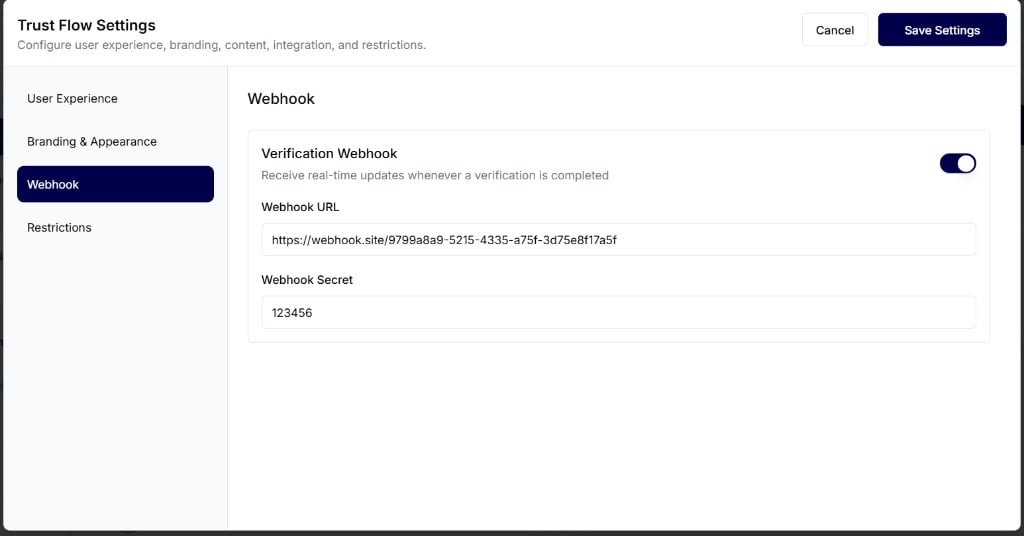 After you enter the details, click **Save Settings** to apply the webhook configuration.
## Webhook secret in the received request
After a verification is completed, IDmeta sends a webhook request to your **Webhook URL**. The **Webhook Secret** you entered in Trust Flow Settings is included in the request header as `x-webhook-secret`.
For example, if you set **Webhook Secret** to `123456`, the received request includes:
`x-webhook-secret: 123456`
After you enter the details, click **Save Settings** to apply the webhook configuration.
## Webhook secret in the received request
After a verification is completed, IDmeta sends a webhook request to your **Webhook URL**. The **Webhook Secret** you entered in Trust Flow Settings is included in the request header as `x-webhook-secret`.
For example, if you set **Webhook Secret** to `123456`, the received request includes:
`x-webhook-secret: 123456`
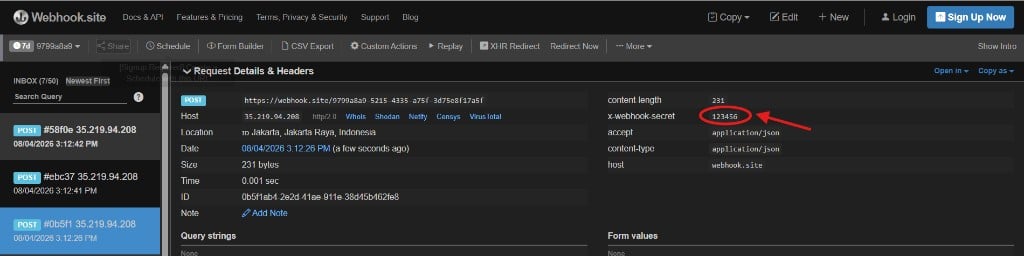 Use this header to confirm that the webhook request was sent by IDmeta.
## Webhook payload
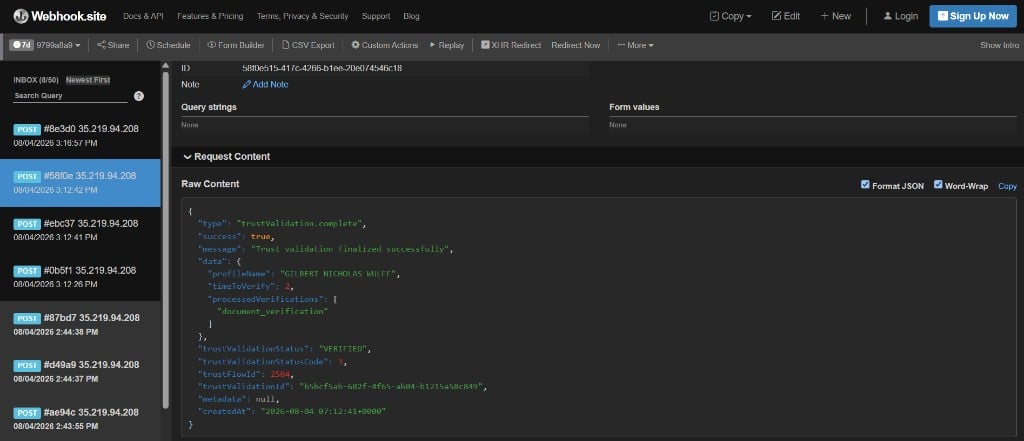
When a Trust Flow verification finishes, IDmeta sends a `POST` request with a JSON body. The event type is `trustValidation.complete`.
The payload includes verification outcome fields such as `success`, `trustValidationStatus`, `trustFlowId`, `trustValidationId`, and a `data` object with details like `profileName`, `timeToVerify`, and `processedVerifications`.
Use this header to confirm that the webhook request was sent by IDmeta.
## Webhook payload
When a Trust Flow verification finishes, IDmeta sends a `POST` request with a JSON body. The event type is `trustValidation.complete`.
The payload includes verification outcome fields such as `success`, `trustValidationStatus`, `trustFlowId`, `trustValidationId`, and a `data` object with details like `profileName`, `timeToVerify`, and `processedVerifications`.
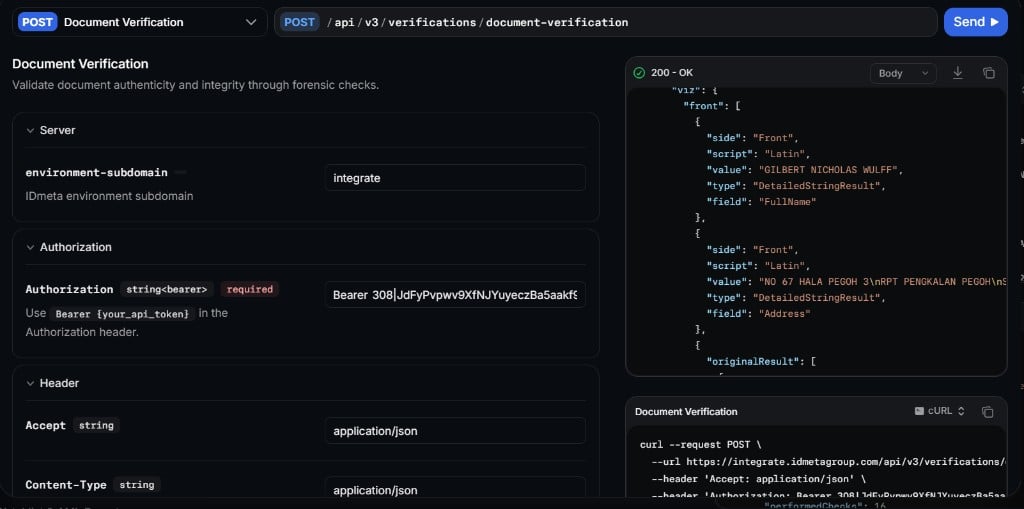
 You can also review the related verification result in the API Reference. For example, when Document Verification runs in the Trust Flow, the Document Verification response includes extracted fields such as name and address.
 For related Trust Flow setup, see [Trust Flow Settings](/trust-flows/trust-flow-settings). For a full setup walkthrough, see [Adding webhooks to a Trust Flow](/developer-tools/adding-webhooks-to-trust-flow).