> ## Documentation Index
> Fetch the complete documentation index at: https://docs.idmetagroup.com/llms.txt
> Use this file to discover all available pages before exploring further.
# App tokens
> Use app tokens to authenticate and secure API requests in your IDmeta integration.
Use app tokens to authenticate requests between your system and the IDmeta API.
Store tokens securely and rotate them based on your internal security policy.
## Getting an API token
1. **Log in** to the IDmeta system (dashboard).
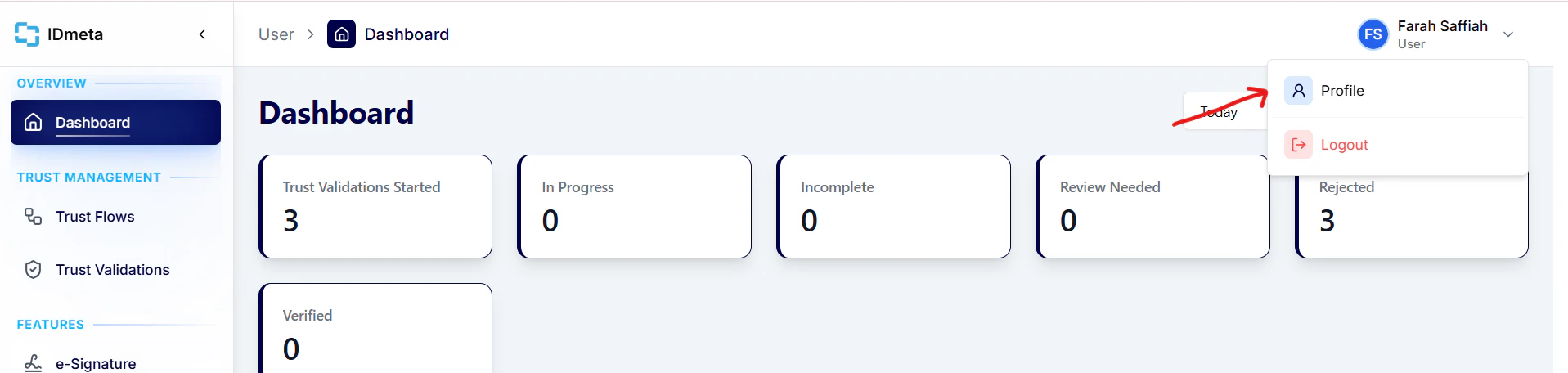
2. **Open your profile**: click your profile avatar/name to go to the profile page.
 3. In the **Settings** tab, open **API Tokens**.
4. Click **Create token** to generate a new API token.
3. In the **Settings** tab, open **API Tokens**.
4. Click **Create token** to generate a new API token.
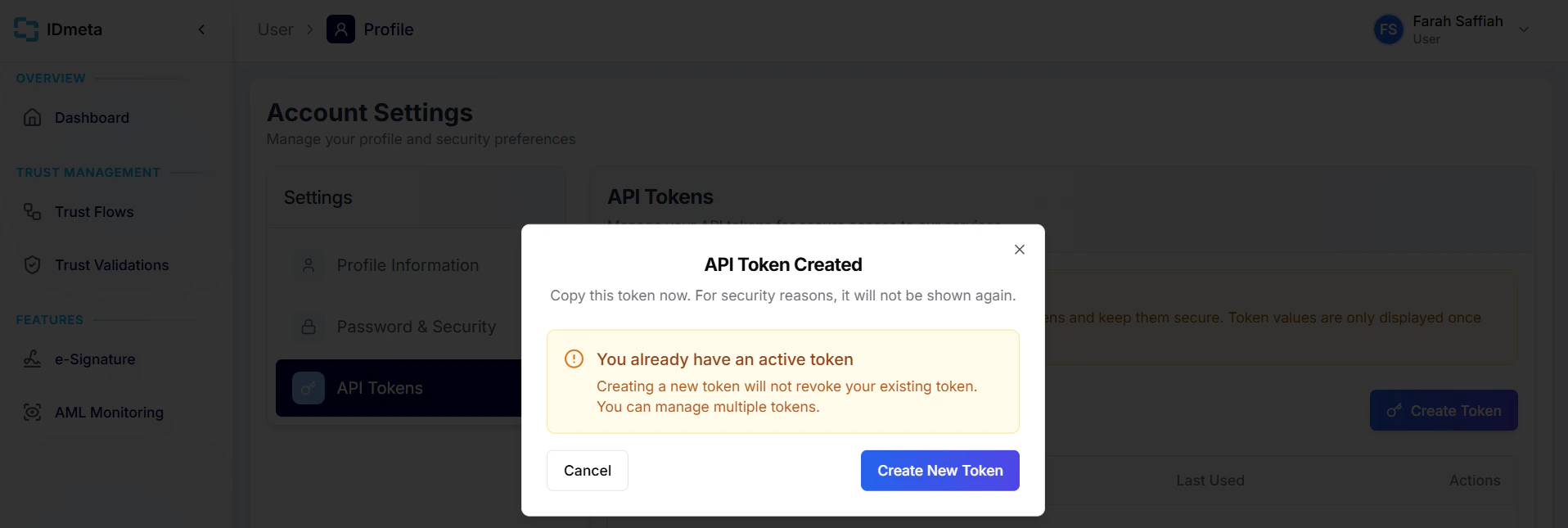 5. Copy the token and store it securely. Treat it like a password.
Use this token as a Bearer token in the `Authorization` header when making requests.
5. Copy the token and store it securely. Treat it like a password.
Use this token as a Bearer token in the `Authorization` header when making requests.